Streamed Arena
Desktop app for Windows
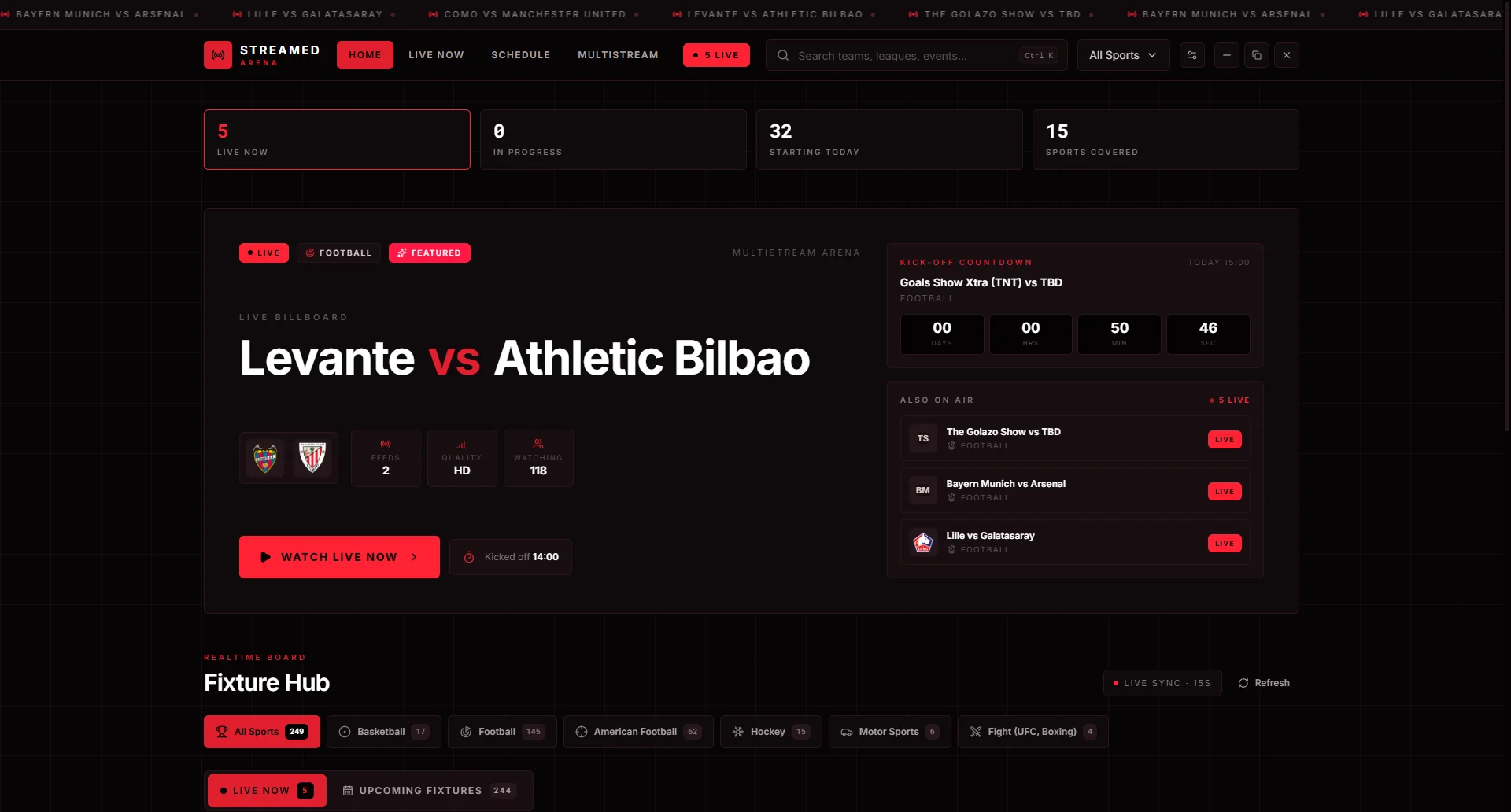
Watch live sports in one app. Every match on air right now, live scores and stats next to the stream, and no pop-up ads.
- Live and upcomingEvery fixture, refreshed every 15 seconds.
- MultistreamUp to four games on one screen, with fullscreen across all of them.
- Live statsScore, clock, possession, shots, cards and player leaders.
- Ad blocker built inuBlock Origin blocks ads, pop-ups and pop-unders.
- Smooth playerAdaptive quality, picture-in-picture and automatic retry.
- ScheduleUpcoming fixtures by day, plus a page for each sport.
Screenshots
Install it
- Download Streamed.Arena.Setup.exe with the button above.
- Run the installer. If Windows SmartScreen shows up, choose More info, then Run anyway.
- Open Streamed Arena from the Start Menu or your desktop.
It updates itself
Each time it opens, and every two hours after that, Streamed Arena checks GitHub for a new version. When one is out, it downloads in the background and asks you to restart. Nothing is forced.
Every update is signed, and the app checks that signature before installing anything. If an update gives you trouble, you can roll back to an earlier version from the Streamed Arena menu.
Versions
Releases on GitHubLoading versions from GitHub